01 / 07
Winnow Audit
Help bookkeeping reviewers inspect flagged ledger entries, compare the context, and record the reasoning behind a decision.
- My contribution
- A bookkeeping review product with a public website, an interactive sample workspace, and a scoped pilot offering.
- Status
- Live
01Overview
Winnow Audit is a review workspace for bookkeeping practice owners and senior reviewers. It connects a queue of flagged entries with the context and decision record needed to review transaction coding.
02The problem
A ledger entry can look ordinary until its source details and category are compared. Reviewers need a clear way to inspect exceptions and record why an entry was approved, reclassified, or flagged for clarification.
03Who it was designed for
Bookkeeping practice owners and senior reviewers working through exceptions before close.
04My role
Product and website build presenting the exception-review workflow, an interactive sample workspace, and a founding-team pilot.
05Constraints
- The public demo uses fictional records; its decisions stay in the browser tab and reset on refresh.
- The sample does not post corrections to an accounting system or run live AI processing.
06How the system works
The public site describes a review sequence from a flagged entry to a recorded decision.
01Choose an exception
Filter the review queue by client, risk, or exception type.
02Inspect the context
Compare source details, ledger categories, and the suggestion.
03Record a decision
Approve, reclassify, or flag the entry with reasoning.
From flagged entry to recorded decision.
A walkthrough of Winnow Audit’s actual public sample workspace: one transaction, the context behind its flag, and the resulting review decision.
 View full-size screenshot ↗
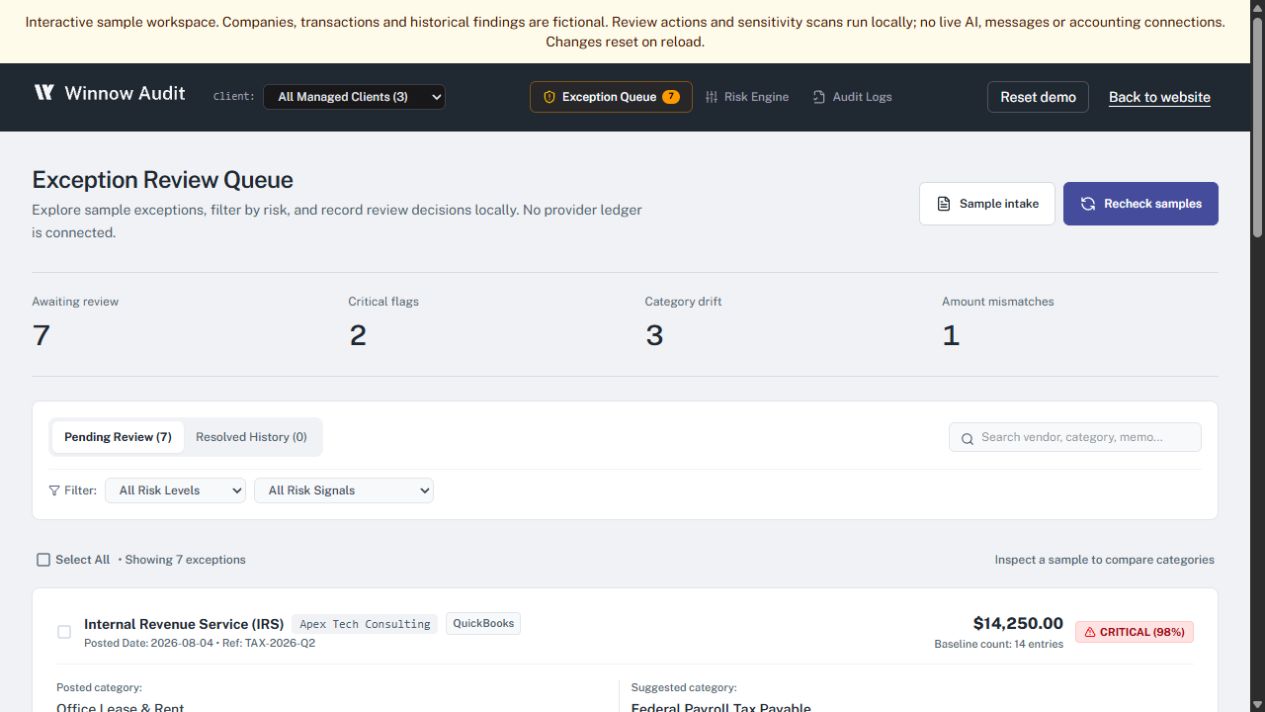
1.Choose a flagged entry
Start with the sample exception queue. The fictional IRS payment is flagged because it was posted to Office Lease & Rent.
 View full-size screenshot ↗
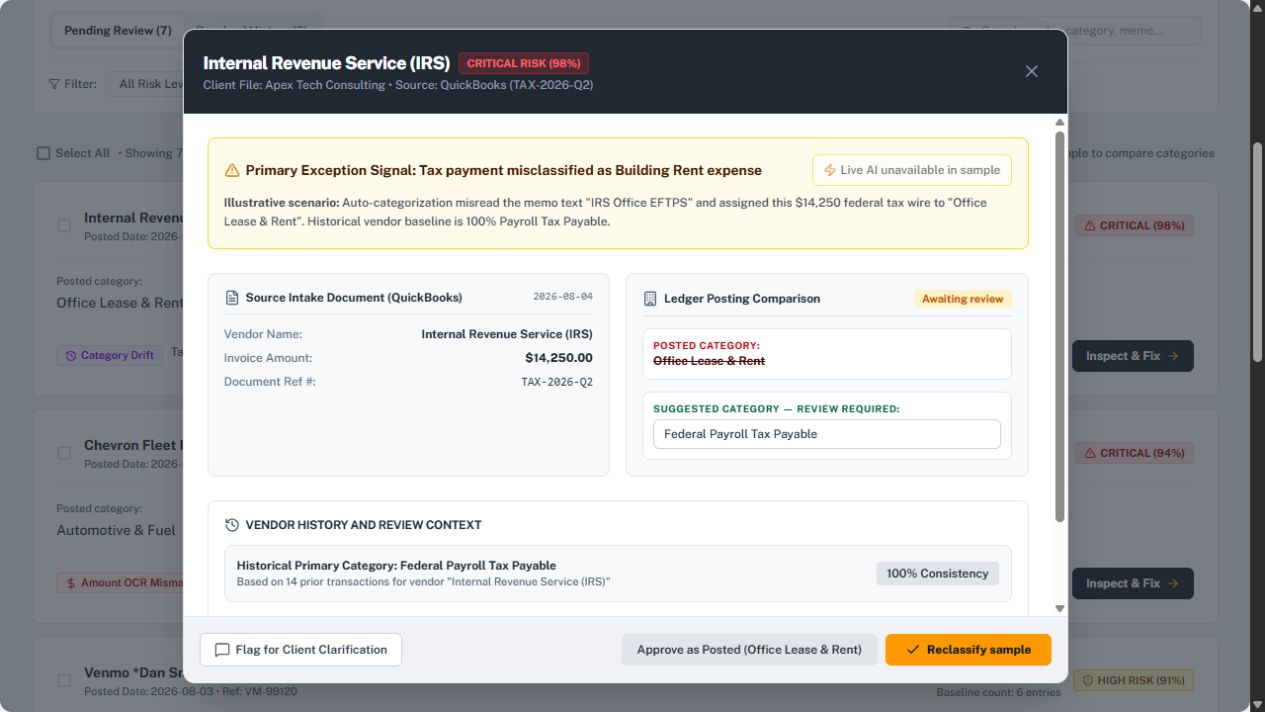
2.Inspect the context
Open Inspect & Fix to compare the source record, posted category, suggested category, and illustrative vendor history before deciding.
 View full-size screenshot ↗
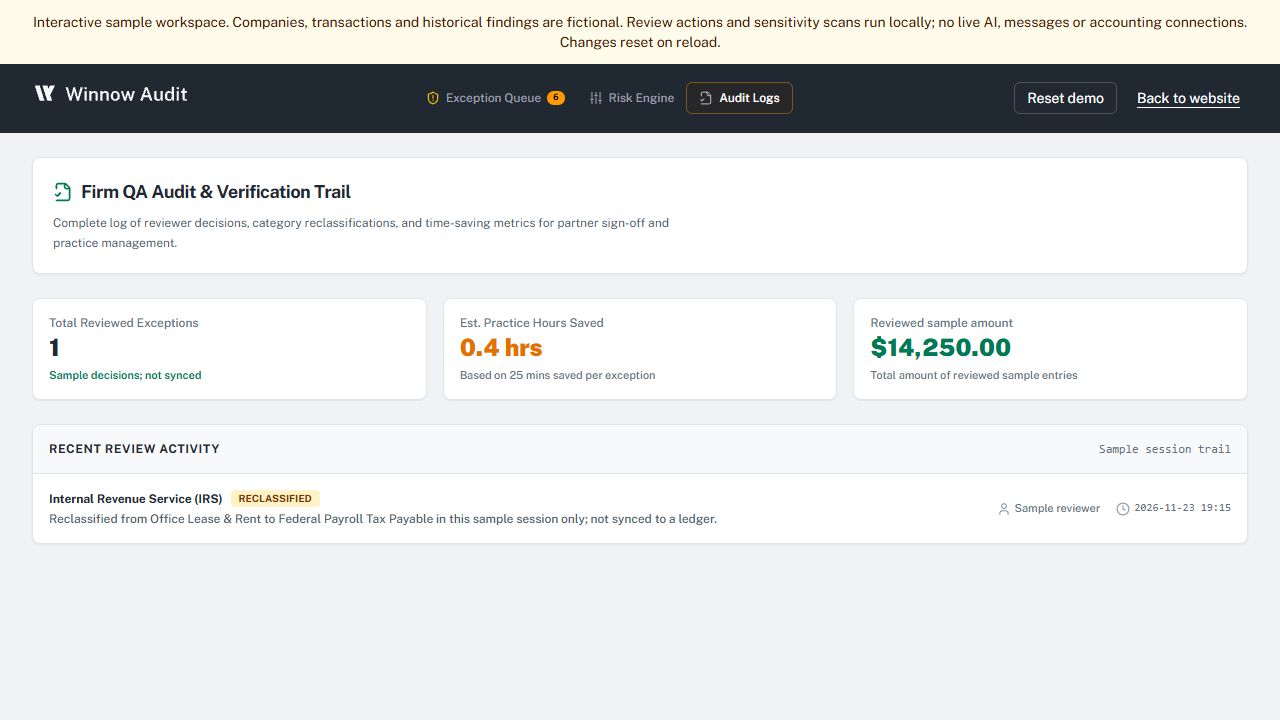
3.Record the decision
Reclassify the sample to Federal Payroll Tax Payable. The pending count drops from seven to six and the sample audit trail records the change.
Captured from the public sample. Records, vendor history, and estimated savings shown are illustrative. Review actions stay in the browser; no live AI, messages, or accounting connections are used. Changes reset on reload.
Try the interactive sample ↗07Important decisions & trade-offs
Keep the reviewer in control
The workflow presents the evidence and available actions so the reviewer records the judgment.
Make the sample boundaries clear
Fictional records let visitors explore the workspace without uploading client data or posting a real correction.
08What this demonstrates
No measured outcomes are claimed. The available product and workflow information demonstrates:
- A focused exception-review product and public interactive sample.
- A workflow connecting flagged entries, supporting context, and recorded decisions.
09Limitations & what I would improve
- The authenticated pilot and accounting integrations have not been independently tested for this case study.
- No audit assurance, accuracy rates, customer results, or time savings are claimed here.